Xero Integration
This document is the shared Xero integration reference for the repo.
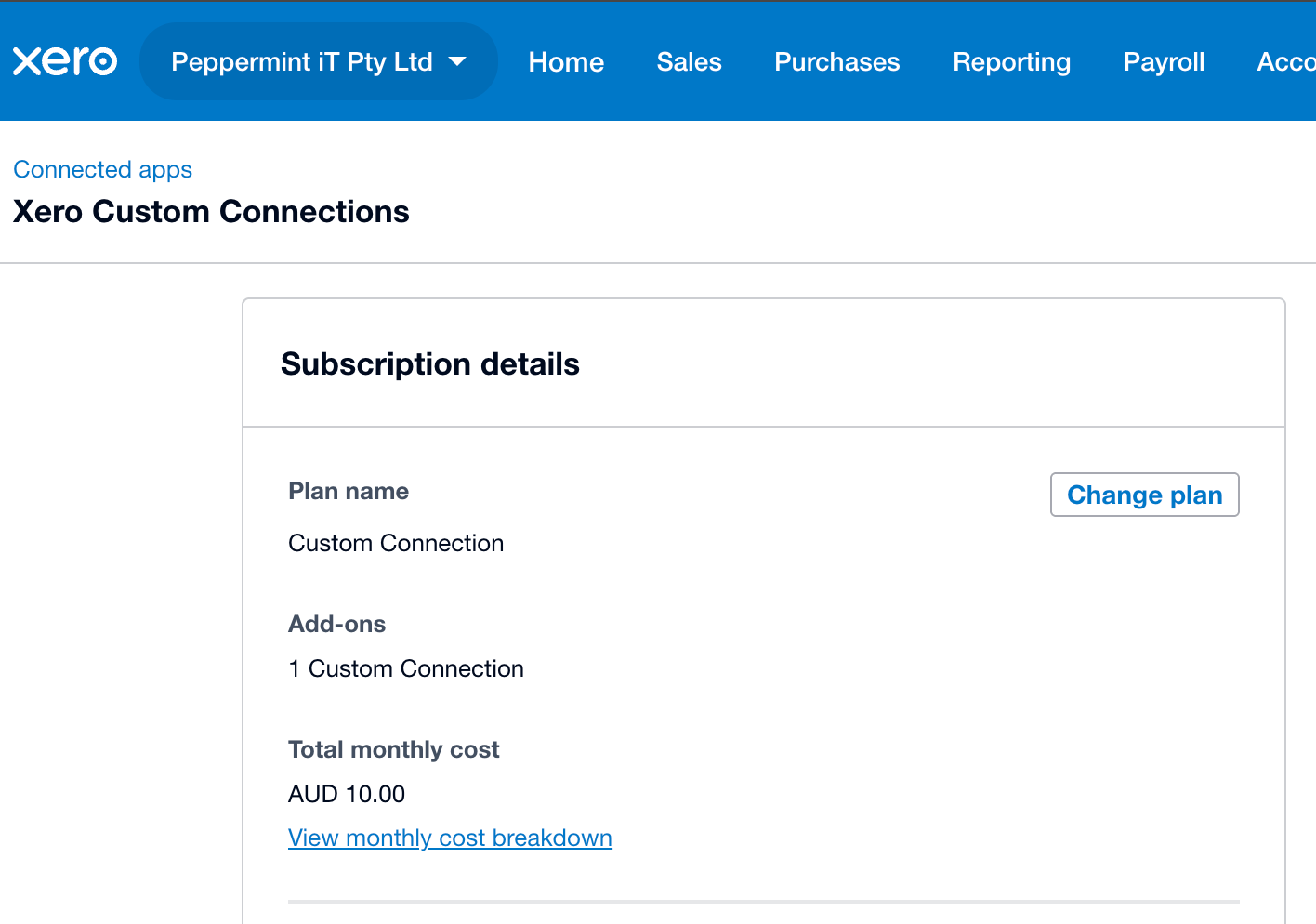
Peppermint currently subscribe to one Custom API connection at $10 AUD per month. This is an App Store Subscription.
Current Integration Shape
The repo uses the Xero Accounting API through xero_sync/:
xero_sync/auth.pyloads Xero settings, defaults to Custom Connection auth, requests client-credentials tokens, and writes.xero_token_cache.json.xero_sync/client.pyis the thin Accounting API HTTP client. In Custom Connection mode it omitsXero-Tenant-Id; Xero binds the token to the single organisation behind the custom connection.xero_sync/cli.pycontains operational checks and invoice reconciliation experiments.xero_sync/invoice_sync.pycontains generic invoice-reference reconciliation helpers. MSP-specific invoice generation lives undermsp_imports/.
Custom Connection App
Manage the app and API scopes in the Xero Developer portal, not in the Xero organisation settings screen.
Use:
- Go to https://developer.xero.com/.
- Open My Apps.
- Select the Peppermint Custom Connection app.
- Open the app configuration / permissions / scopes area.
- Add or remove Accounting API scopes there.
Changing the Custom Connection scopes can disconnect the app or leave it waiting for re-authorisation. After adding or removing scopes:
- Save the scope change in the Xero Developer portal.
- Use Resend authorisation email.
- Re-authorise the app for the Peppermint organisation.
- Update this document if the backend's assumed scope set has changed.
- Refresh or delete any stale local
.xero_token_cache.jsonbefore testing if the backend still appears to use the old scope set.
Environment Configuration
The current Xero path is Custom Connection auth. Configure only:
XERO_CLIENT_ID=...
XERO_CLIENT_SECRET=...
Do not set scope or auth-mode environment variables for this path. Scope authorisation lives in the Xero Developer portal and is recorded below.
The token cache is local runtime state and must not be committed:
.xero_token_cache.json
Current Authorised Scopes
These scopes belong in:
- Xero Developer portal: controls what the Custom Connection app is authorised to use and what Xero can grant to client-credentials tokens.
- This document: records the current scope assumptions for code paths that call Xero endpoints.
They do not belong in runtime environment variables for Custom Connection mode.
| Scope | Used for |
|---|---|
accounting.invoices |
Create, update, and read MSP draft invoices; read referenced invoices for audit/reconciliation. |
accounting.contacts |
Authorised for Xero contact lookups if needed. Current committed invoice creation uses the Xero_Contact_ID stored in Zoho CRM rather than calling Xero Contacts directly. |
accounting.settings.read |
Authorised for read-only accounting metadata checks such as account codes or tax settings if needed. There is no committed caller yet. |
accounting.reports.profitandloss.read |
Read the standard Xero Profit and Loss report for scorecard/Excel reporting work. |
The Xero Developer portal exposes granular report scopes for Custom
Connections. Use accounting.reports.profitandloss.read for the standard Profit
and Loss report. Some Xero API references describe reports under the broader
accounting.reports.read scope, but that is not the selectable scope shown in
the Custom Connection portal for this app.
The Profit and Loss endpoint returns Xero's standard report structure, so consumers should initially expose it as Xero returns it rather than forcing it into an existing workbook layout.
Excel and Power BI Consumers
Excel and Power BI should not connect directly to Xero. They should call Peppermint backend report routes and use the same backend Basic auth pattern as the existing Power BI report exports.
The backend owns Xero authentication server-side. This keeps Xero client credentials and scopes out of Excel workbooks and Power BI files.
External References
- Xero OAuth 2.0 overview: https://developer.xero.com/documentation/guides/oauth2/overview
- Xero Custom Connections: https://developer.xero.com/documentation/guides/oauth2/custom-connections/
- Xero OAuth scopes: https://developer.xero.com/documentation/guides/oauth2/scopes/
- Xero Accounting API invoices: https://developer.xero.com/documentation/api/accounting/invoices
- Xero Accounting API reports: https://developer.xero.com/documentation/api/accounting/reports
- Xero OpenAPI spec: https://raw.githubusercontent.com/XeroAPI/Xero-OpenAPI/master/xero_accounting.yaml